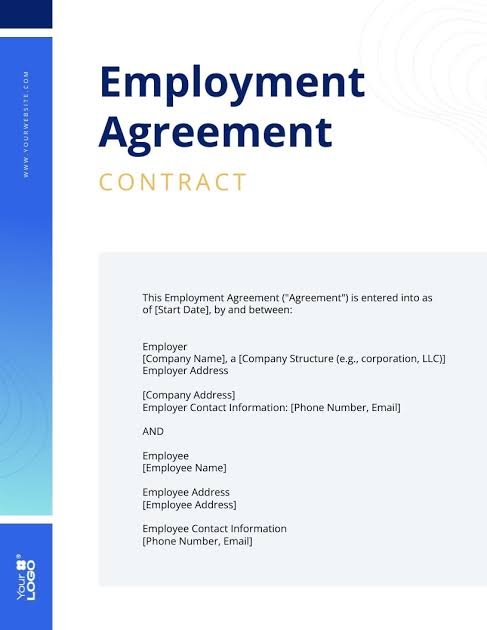
Venngage
Venngage is a user-friendly online design platform that helps individuals and businesses create beautiful infographics, reports, presentations, social media graphics, flyers, resumes, and many other visual materials without requiring professional graphic design skills.
This article explores everything you need to know about Venngage, including its features, benefits, pricing, use cases, advantages, disadvantages, and tips for getting the most out of this powerful design tool.
What Is Venngage?
Venngage is a cloud-based graphic design platform designed primarily for creating infographics and data visualizations. It offers thousands of customizable templates that allow users to quickly produce professional-quality designs.
Unlike traditional design software that requires advanced skills, Venngage focuses on simplicity. Users can drag and drop elements, edit text, change colors, insert icons, upload images, and customize layouts in just a few clicks.
Because it works directly in your web browser, there is no need to install complicated software.
Why Venngage Is Popular
The popularity of Venngage has grown because people increasingly prefer visual communication over long blocks of text.
Some reasons for its popularity include:
- Beginner-friendly interface
- Thousands of professional templates
- Drag-and-drop editor
- Business-focused designs
- Educational resources
- Team collaboration
- Brand customization
- Easy sharing options
Whether creating a marketing report or a classroom presentation, Venngage simplifies the design process.
Main Features of Venngage
1. Infographic Templates
Venngage is best known for its infographic templates.
Users can choose from templates such as:
- Statistical infographics
- Timeline infographics
- Comparison charts
- Process diagrams
- List infographics
- Healthcare infographics
- Business infographics
These templates save significant time while maintaining a professional appearance.
2. Drag-and-Drop Editor
The editor is simple enough for beginners.
Users can:
- Move objects
- Resize images
- Edit text
- Add icons
- Change colors
- Insert charts
- Rearrange layouts
No coding or graphic design knowledge is required.
3. Large Icon Library
Venngage includes thousands of icons covering numerous industries such as:
- Healthcare
- Finance
- Marketing
- Education
- Technology
- Real estate
- Food
- Travel
Icons help make information easier to understand.
4. Charts and Graphs
Data visualization is one of Venngage’s strongest features.
Users can create:
- Pie charts
- Line graphs
- Bar charts
- Comparison charts
- Progress charts
- Data tables
This helps transform complex information into attractive visuals.
5. Branding Tools
Businesses can maintain consistent branding by adding:
- Company logo
- Brand colors
- Custom fonts
- Brand guidelines
This creates a professional and recognizable identity across all designs.
6. Collaboration Features
Teams can work together by:
- Sharing projects
- Leaving comments
- Editing designs
- Managing templates
This is especially useful for marketing departments and remote teams.
Benefits of Using Venngage
Saves Time
Instead of designing everything from scratch, users simply customize existing templates.
No Design Experience Needed
Anyone can create attractive graphics without learning complex software.
Professional Results
Templates are designed by professionals, ensuring polished and modern visuals.
Improves Communication
Visual content is easier for audiences to understand and remember.
Increases Engagement
Infographics generally receive more shares and interactions than plain text.
Better Presentations
Professionally designed reports and presentations leave stronger impressions.
Who Uses Venngage?
Venngage serves a wide range of users.
Businesses
Companies use Venngage for:
- Reports
- Marketing materials
- Sales presentations
- Internal communications
- Company newsletters
Teachers
Educators create:
- Lesson plans
- Classroom posters
- Educational infographics
- Student assignments
- Learning resources
Students
Students benefit by creating:
- School projects
- Research presentations
- Timelines
- Visual reports
Marketers
Marketing professionals use Venngage to design:
- Social media graphics
- Email visuals
- Infographics
- Case studies
- Campaign reports
Nonprofit Organizations
Nonprofits often create:
- Awareness campaigns
- Annual reports
- Fundraising materials
- Volunteer guides
Types of Designs You Can Create
Venngage supports many content formats, including:
- Infographics
- Reports
- Presentations
- Posters
- Flyers
- Brochures
- Certificates
- Newsletters
- Social media graphics
- Mind maps
- Timelines
- Organizational charts
- Resumes
- Checklists
- Business proposals
This versatility makes it useful across industries.
Venngage Templates
One reason people enjoy using Venngage is its extensive template collection.
Popular categories include:
- Marketing
- Business
- Healthcare
- Education
- Human Resources
- Finance
- Project Management
- Environmental Awareness
- Technology
- Real Estate
Templates are fully customizable, allowing users to adapt them to their specific needs.
Venngage for Businesses
Businesses often struggle to present data in an engaging way.
Venngage solves this by helping organizations create:
- Annual reports
- KPI dashboards
- Employee handbooks
- Training materials
- Sales reports
- Company presentations
Professional visuals help improve communication with employees, clients, and stakeholders.
Venngage for Education
Teachers and schools increasingly rely on visual learning.
Venngage supports education through:
- Interactive lesson materials
- Learning posters
- Science diagrams
- Historical timelines
- Classroom instructions
- Student projects
Visual learning often improves understanding and retention.
Venngage for Marketing
Marketing relies heavily on attractive visuals.
Using Venngage, marketers can design:
- Content marketing graphics
- Blog infographics
- Social media posts
- Product comparisons
- Email graphics
- Customer journey maps
These visuals can improve audience engagement and content performance.
Customization Options
Venngage allows users to personalize nearly every aspect of a design.
Customization includes:
- Fonts
- Colors
- Icons
- Backgrounds
- Images
- Charts
- Borders
- Shapes
- Layouts
This flexibility ensures each project matches individual branding requirements.
Collaboration and Teamwork
Modern businesses often require multiple team members to work together.
Venngage supports collaboration through:
- Shared folders
- Team templates
- Commenting
- Permission settings
- Collaborative editing
These features improve workflow and reduce communication delays.
Advantages of Venngage
There are many reasons why users choose Venngage.
Some major advantages include:
- Easy to learn
- Professional templates
- Excellent infographic creator
- Cloud-based platform
- Large icon collection
- Fast design process
- Collaboration features
- Business branding options
- Educational resources
- Frequent template updates
These advantages make it suitable for both beginners and experienced professionals.
Disadvantages of Venngage
Although Venngages is highly useful, there are some limitations.
These include:
- Some advanced features require paid plans.
- Certain templates are available only to premium users.
- Internet access is required because it is cloud-based.
- Very complex graphic editing is limited compared to professional software.
Despite these limitations, many users find it offers excellent value for everyday design tasks.
Tips for Using Venngage Effectively
To create high-quality visuals, consider these best practices:
- Keep designs simple.
- Use consistent colors.
- Limit the number of fonts.
- Highlight key information.
- Use icons appropriately.
- Leave enough white space.
- Choose readable font sizes.
- Use high-quality images.
- Proofread all text.
- Match designs to your audience.
Simple, clean designs are often more effective than overly complicated layouts.
Is Venngage Worth It?
For many individuals and organizations, the answer is yes.
Venngages provides an accessible way to create professional visuals without hiring a graphic designer or learning advanced design software.
It is particularly valuable for:
- Small businesses
- Teachers
- Students
- Content creators
- Marketing agencies
- Human resource departments
- Consultants
- Nonprofit organizations
The platform’s ease of use and extensive template library make it an excellent choice for users who need visually appealing content quickly.
Conclusion
Venngage has established itself as one of the leading online platforms for creating infographics and professional visual content. Its intuitive interface, rich collection of templates, customizable design tools, and collaboration features make it suitable for users of all skill levels.
Whether you need to create a business report, educational infographic, marketing campaign, presentation, or social media graphic, Venngage offers the tools needed to transform ideas into engaging visuals. By simplifying the design process and making professional-quality graphics accessible to everyone, it helps individuals and organizations communicate more effectively.
If you are looking for an easy-to-use design platform that combines creativity with functionality, Venngages is a practical solution worth considering.
About the Author