Page Size Checker
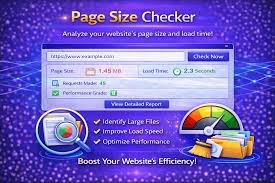
Page Size Checker is a useful online tool that helps users quickly identify the dimensions of a document page without manually checking complicated settings.
Whether you are a student preparing assignments, a writer formatting a manuscript, a designer working on printable materials, or a business professional creating reports, knowing the exact page size can save time and prevent formatting problems. Many users face issues when documents are rejected because the page dimensions do not match specific requirements. A simple page size checker can solve this problem within seconds.
What Is a Page Size Checker?
A Page Size Checker is an online utility designed to analyze and display the size of a document page. It helps users find important information such as page width, page height, orientation, and standard format.
For example, a page size checker can identify whether a document uses common sizes like:
- A4 size
- Letter size
- Legal size
- A3 size
- A5 size
- Custom dimensions
Instead of opening document settings and searching through multiple options, users can upload their file or enter measurements into the tool to get instant results.
Why Is Page Size Important?
Page size affects how your content appears when viewed, printed, or shared. Using the wrong page dimensions can create several problems, including:
- Text shifting to different pages
- Images appearing incorrectly
- Printing errors
- Professional documents looking unorganized
- Submission rejection due to incorrect formatting
For academic papers, business reports, resumes, and official documents, correct page size is often a requirement. A page size checker helps ensure your file meets the expected standards.
How Does a Page Size Checker Work?
A page size checker works by analyzing the dimensions of your uploaded document or entered measurements. The process is usually simple:
- Upload your document file.
- The tool scans the document properties.
- It detects the page width and height.
- It displays the exact page size information.
- You can compare the results with your required format.
Most online page size checker tools are designed for quick use and do not require technical knowledge.
Common Page Sizes Explained
Understanding common page sizes can help you choose the correct format for your project.
A4 Page Size
A4 is one of the most widely used page sizes worldwide. It is commonly used for:
- School assignments
- Office documents
- Reports
- Letters
- Printing purposes
The standard A4 size is:
- Width: 210 mm
- Height: 297 mm
Letter Page Size
Letter size is mainly used in countries like the United States and Canada. It is common for:
- Business documents
- Legal paperwork
- Office printing
The standard letter size is:
- Width: 8.5 inches
- Height: 11 inches
Legal Page Size
Legal paper is often used for contracts and official documents. It provides extra vertical space compared to standard letter paper.
Custom Page Sizes
Some projects require unique dimensions, such as:
- Posters
- Flyers
- Invitations
- Book covers
- Digital designs
A page size checker helps confirm whether custom dimensions are correct.
Benefits of Using a Page Size Checker
A page size checker offers many advantages for different types of users.
Saves Time
Checking page settings manually can take several steps. An online tool provides results instantly, making the process faster and easier.
Prevents Formatting Mistakes
Incorrect page size can damage the appearance of a document. Checking dimensions before submission or printing helps avoid unnecessary corrections.
Improves Professional Quality
A properly formatted document looks more professional. Businesses, designers, and writers can maintain consistent formatting by verifying page dimensions.
Easy to Use
Most page size checker tools have simple interfaces. Users do not need advanced computer skills to understand the results.
Supports Multiple File Types
Many page size checking tools support different document formats, including:
- PDF files
- Word documents
- Images
- Design files
Who Can Use a Page Size Checker?
A page size checker is useful for many groups of people.
Students
Students often need to follow formatting guidelines for assignments, research papers, and projects. Checking page size ensures their documents meet academic requirements.
Writers and Authors
Authors preparing books, articles, or manuscripts need correct page dimensions for publishing and printing. A page size checker helps maintain proper formatting.
Graphic Designers
Designers create posters, brochures, and marketing materials that require exact measurements. Checking page size helps maintain accuracy.
Businesses
Companies create invoices, reports, proposals, and presentations regularly. Correct page size improves document quality and consistency.
Printers
Printing professionals use page size verification to ensure files match the requested paper format before production.
Page Size Checker for PDF Files
PDF files are commonly used for sharing professional documents. However, PDFs can contain pages with different dimensions, especially when created from multiple sources.
A PDF page size checker helps users:
- Verify PDF dimensions
- Detect incorrect page sizes
- Prepare files for printing
- Confirm document standards
This is especially useful for publishers, businesses, and students submitting PDF documents online.
Difference Between Page Size and File Size
Many people confuse page size with file size, but they are completely different.
Page size refers to the physical dimensions of a document page, such as A4 or Letter.
File size refers to the amount of storage space a file uses, usually measured in KB, MB, or GB.
For example, two PDF files may both use A4 pages, but one file can be larger because it contains high-quality images or additional content.
How to Check Page Size Without a Tool
Although online page size checkers are convenient, you can also check page dimensions manually.
Microsoft Word
- Open your document.
- Go to the Layout section.
- Select Size.
- View the current page dimensions.
PDF Software
- Open the PDF file.
- Access document properties.
- Check page information.
Image Editors
Design programs usually display canvas dimensions in document settings.
However, manual checking can take longer, especially when handling multiple files.
Features of a Good Page Size Checker
A reliable page size checker should include useful features such as:
Accurate Measurements
The tool should provide precise width and height information.
Simple Interface
Users should be able to understand results without confusion.
Fast Processing
The tool should analyze documents quickly.
Privacy Protection
A trustworthy page size checker should protect uploaded files and avoid storing unnecessary data.
Multiple Format Support
Support for different file types makes the tool more useful.
Page Size Checker for Printing Projects
Printing requires accurate page dimensions. Even a small difference in size can affect the final output.
Before printing:
- Check page orientation
- Confirm paper size
- Verify margins
- Review document dimensions
Using a page size checker before sending files to a printer reduces mistakes and saves resources.
Common Page Size Mistakes
Many users experience formatting issues because of simple page size errors.
Some common mistakes include:
- Selecting the wrong paper format
- Mixing different page sizes in one document
- Ignoring orientation settings
- Forgetting printer requirements
- Uploading incorrectly formatted files
A page size checker helps identify these problems before they become serious.
Page Size Checker and Digital Publishing
Digital publishing platforms often have specific formatting requirements. Authors and publishers need accurate page dimensions to ensure books and documents display correctly.
A page size checker helps confirm that:
- E-books are properly formatted
- Print-ready files meet guidelines
- Layout remains consistent
- Content appears correctly on different devices
How to Choose the Right Page Size
Choosing the correct page size depends on your purpose.
For office documents:
- A4 or Letter is usually suitable.
For posters:
- Larger formats like A3 may be better.
For books:
- Custom sizes are often preferred.
For presentations:
- Landscape formats are common.
Always check the requirements before creating your document.
Future of Online Document Checking Tools
Online document tools continue to improve with advanced technology. Future page size checkers may include features like:
- Automatic formatting suggestions
- AI-based document analysis
- Batch file checking
- Printing recommendations
- Cloud integration
These improvements will make document preparation faster and more efficient.
Final Thoughts
A Page Size Checker is a simple but valuable tool for anyone working with digital documents. It helps users quickly identify page dimensions, avoid formatting errors, and create professional-looking files.
Whether you are preparing a school assignment, business report, PDF file, design project, or printable document, checking page size before finalizing your work can save time and prevent problems. With easy-to-use online tools available today, maintaining accurate document formatting has become more convenient than ever.
Using a page size checker is a smart step toward creating organized, professional, and properly formatted documents.
About the Author